

When to update a connection
Re-authentication for the connection may be required in the following scenarios:- In the Manage tab, the Status of the connection is showing as “bad_credentials”.
- Your integration isn’t working.
- You need to switch to a different account.
How to update a connection
- Navigate to the Manage tab.
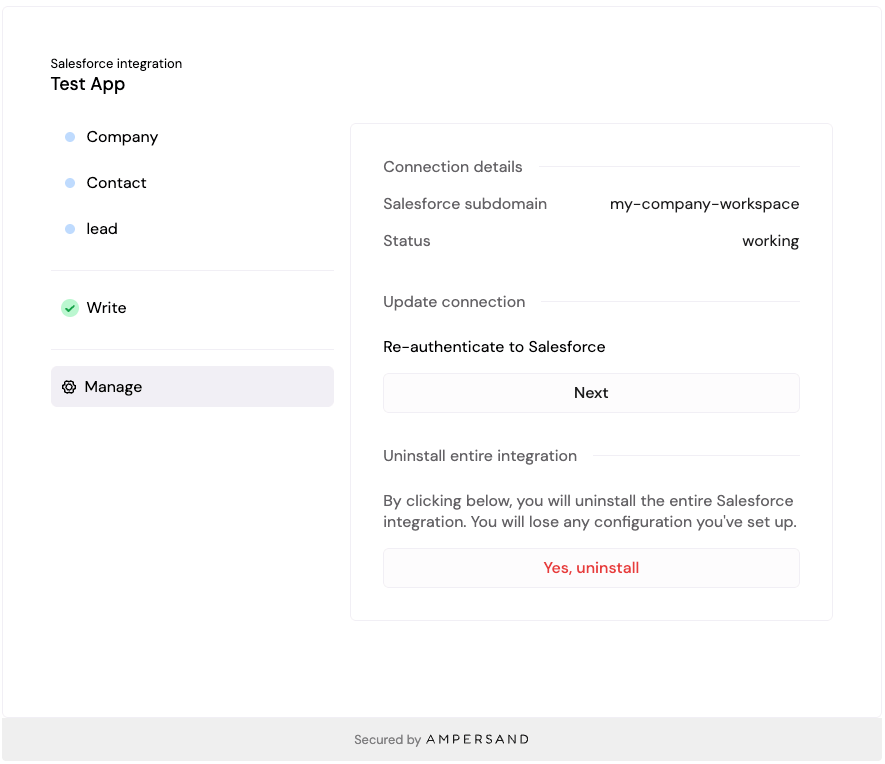
- Under the Update connection section enter credentials as needed and click the Next button.
Update the integration configuration
You can change what an integration reads or writes without disconnecting. The connection (credentials) and the installation configuration (objects, fields, mappings, schedule) are stored separately, so updating the configuration keeps the existing connection in place.- In the UI component: open the Manage tab and edit the objects, fields, or mappings you want to change. The InstallIntegration component displays the current configuration when an installation already exists for the group, so end users can update it in place.
- Via API: call Update an installation to replace the full installation config, or Update an installation object to patch a single object’s config (fields, schedule, filters). Neither endpoint touches the underlying connection.
If Manage tab isn’t visible
If you do not see the Manage tab, it means that the app builder needs to update@amp-labs/react to v2.7+ in their code.